
Video Optimisation
How to Compress Videos on iPhone Without Fuss
Large videos fill an iPhone quickly. See how to compress videos on iPhone, find the biggest ones and keep the memories you care about. Read on.
Photo Cleanup
8 November 2026 · 3 min read
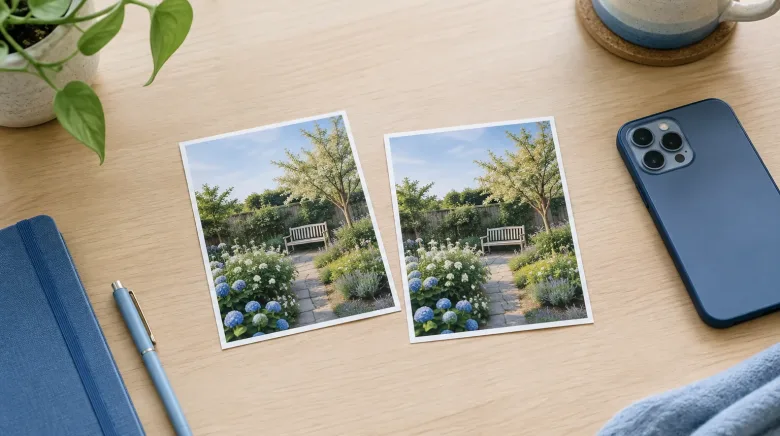
If your iPhone keeps warning you about storage, you may want to find duplicate photos on iPhone before anything else. But you may also have noticed a second kind of clutter: shots that look almost the same but are not quite identical. These two types are easy to mix up, and they call for different decisions. This article explains the difference and suggests a calm order to work in.
A duplicate is the same photo saved more than once. The picture content is identical, and nothing about the image differs. Duplicates often appear when a photo is saved from a message, downloaded again from an email, or imported twice from another device.
Because the copies match, you do not need to judge which one is a better picture. They are the same picture. The only question is which copy to keep, and since either one will do, the decision is usually quick.
Similar photos are different pictures of the same scene. Think of five shots of a birthday cake taken a few seconds apart, or a burst of your grandchild running across a lawn. Each frame is its own image. The lighting, the expression or the angle may differ slightly.
These are not copies. They are alternatives, and choosing among them is a matter of taste. That is why similar photos deserve a little more attention than duplicates.
With duplicates, you are asking: do I need two of the exact same thing? Usually the answer is no, and keeping one copy loses nothing visible.
With similar photos, you are asking: which of these is my favorite, and do I want more than one? That is a personal choice. Maybe the first photo has the best smile, while the third has the better view behind it. You might reasonably keep two.
Neither type should be deleted without a look. Even with duplicates, it is sensible to glance at the group and confirm the copies really are the same.
For most people, starting with duplicates makes sense. The decisions are easier, you build confidence with the process, and you clear out clutter that adds nothing to your library.
You do not have to do all of this in one sitting. A few groups at a time works just as well, and your library will be a little tidier each time.
FreeUp Space is an iPhone app built around this idea. It gathers potential duplicates and similar photos into groups so you can look through them, rather than hunting through thousands of thumbnails yourself. The scanning happens on your iPhone, and your photos are not uploaded for this purpose.
You stay in control. Reviewing is free, and cleanup is unlocked with a one-time purchase, with no subscription. Check the App Store for current pricing. How much space you reclaim depends entirely on what is in your own library, so there is no set amount to expect.
A few habits make the review feel easier:
If you would like more guidance on managing your photo library, you can find other articles on our blog, or learn who is behind the app on the about page.
Make a little room for more memories. Explore FreeUp Space for iPhone.
Large videos fill an iPhone quickly. See how to compress videos on iPhone, find the biggest ones and keep the memories you care about. Read on.
Seeing an iPhone storage full warning? Learn what the colored storage bar really shows and what takes up room, so you know where to look first.